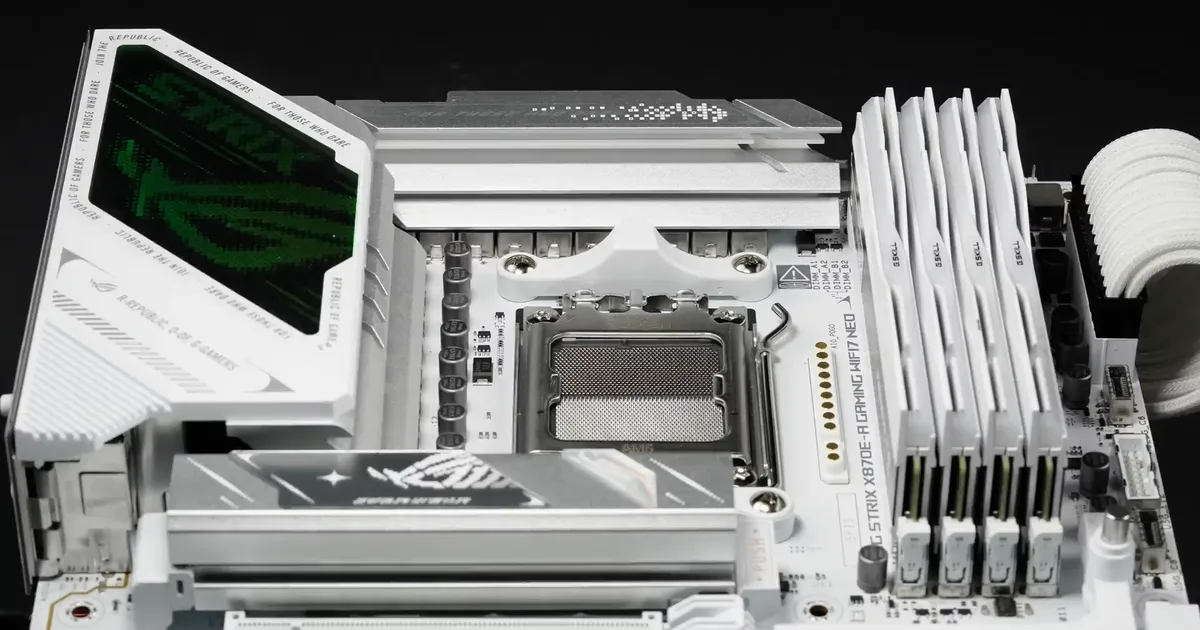
This post is brought to you in paid partnership with ASUS.
DDR5 memory doesn’t always perform the way you’d expect because so much of its behavior is shaped by the platform it’s running on, not the memory kit alone. A motherboard is one of the few PC components that continues to influence your system long after you’ve finished building it. Even after you’ve chosen your processor, graphics card, and memory, it continues to shape which upgrades are possible, how well new hardware behaves, and whether your PC evolves gracefully or starts showing its age before the rest of the system does.
DDR5 has made those long-term decisions more important than ever. Higher memory speeds and larger capacities have pushed performance forward, but they’ve also made memory behavior far more dependent on the quality of the platform underneath it. Generic settings don’t always deliver the best balance of stability and performance, even when you’re using high-quality hardware.
DDR5 prices have also remained higher than many builders expected, making memory upgrades a decision that deserves more thought than it did a few years ago. Getting more life out of the hardware already installed in a system often makes more sense than replacing it outright, especially when stability and performance can still be improved through better memory optimization.
Several motherboard manufacturers have responded to these challenges with features designed to optimize memory for the specific hardware installed in a system. These tools aren’t simply chasing higher benchmark numbers. They’re designed to help systems remain stable, perform consistently, and continue delivering value before the next memory upgrade becomes necessary.
Why DDR5 isn’t as straightforward as DDR4
DDR5 brought everything PC builders were hoping for: higher transfer speeds, larger capacities, and significantly more bandwidth. Those gains have unlocked better performance across everything from gaming to content creation, but they also introduced a level of complexity that DDR4 largely hid from view.
Modern DDR5 modules do far more than store data. Power management circuitry now sits on the memory module itself, while dedicated clock drivers help maintain signal integrity at increasingly higher frequencies. DDR5 is not just faster than ever, but also far less forgiving. Two PCs with the same processor, motherboard, and memory kit can produce different results because every CPU’s integrated memory controller is slightly different, every DIMM has its own electrical characteristics, and cooling conditions vary from one build to the next. Stability is no longer determined by the memory kit alone; it’s shaped by how every part of the platform works together.
Heat compounds the challenge. Higher frequencies and larger-capacity modules naturally generate more thermal load, making memory harder to keep stable during sustained workloads. Crashes and failed boots still happen, but they’re no longer the only warning signs. Many systems quietly loosen memory timings or fall back to more conservative training values to stay reliable, sacrificing performance without ever drawing attention to the compromise. Unless you’re actively benchmarking the system, you’d probably never notice the difference.
Finding the right balance between stability and performance has become far more dependent on the specific hardware inside a PC than generic memory profiles can account for. Platform-specific optimization has become far more valuable than out-of-the-box configurations ever anticipated, laying the groundwork for motherboard-level tools that can deliver meaningful improvements without requiring users to replace perfectly good hardware.
Smarter memory tuning without the trial and error
Memory optimization has traditionally been one of the more intimidating parts of PC building. Improving stability often meant experimenting with voltages, adjusting timings, and running repeated stress tests to find settings a system could reliably sustain. New age motherboard tools have made that process far more accessible by automating much of the tuning work. ASUS calls its implementation DIMM Fit, a BIOS-level tool that systematically evaluates timing configurations for the exact CPU and memory combination installed in a system to identify settings that balance stability and performance without requiring users to become BIOS experts.
More flexibility for future upgrades
The current DDR5 market makes this one of DIMM Fit’s biggest advantages. Replacing a memory kit isn’t always the obvious solution when prices remain high and availability can fluctuate. Optimizing the hardware already installed in a system gives builders more flexibility to postpone an upgrade until it aligns with their budget, workload, or the next major platform refresh. ASUS also notes that it can help improve compatibility across a wider range of memory configurations, making it easier to get reliable operation from existing, mixed, or second-hand DDR5 kits before committing to new hardware.
Built for stable DDR5 operation
DDR5’s higher frequencies and larger capacities leave much less room for error than previous memory generations. Generic timing profiles are designed to work across thousands of possible hardware combinations, but no two systems behave exactly alike. DIMM Fit identifies timing settings that are tailored to the processor and memory installed in an individual PC, helping improve stability while reducing the likelihood of training failures, unexplained crashes, or the quiet performance compromises that can appear when a system falls back to more conservative settings.
Performance without the trial and error
Reliable memory tuning isn’t only about preventing instability. Running the most appropriate timings for a specific CPU and memory combination also helps the system maintain the performance it’s capable of delivering. DIMM Fit systematically searches for settings tailored to the hardware already in the system, reducing the need for manual testing and default memory settings. Advanced users can continue refining those results if they choose, but most builders get the benefit of a more capable and consistent system without the usual trial-and-error process.
DDR5 has changed more than memory speeds. It has changed the way builders approach upgrades, placing greater emphasis on platform optimization and getting the most from the hardware already in a system before investing in new components. Motherboard-level memory optimization has become increasingly valuable as a result, helping improve stability, maintain performance, and extend the useful life of existing hardware. Tools like ASUS DIMM Fit are part of that broader shift, tailoring memory settings to the specific hardware in a system so builders can get consistent performance today while leaving more flexibility for tomorrow’s upgrades.
FAQs
Do I need to buy new memory to benefit from DIMM Fit?
Not necessarily. One of its biggest advantages is helping users get the best possible experience from the memory already installed in their system. By optimizing timings for the specific CPU and memory combination in use, it can improve stability and consistency without requiring an immediate hardware upgrade. In today’s market, when DDR5 prices remain high or replacing a perfectly good memory kit isn’t the right choice, this is highly valuable.
Does DIMM Fit improve stability, performance, or both?
It improves both. Stable memory settings form the foundation for consistent performance, especially with DDR5’s higher operating frequencies and tighter tolerances. It systematically identifies reliable timing configurations for the hardware in your system, reducing the need to rely on generic memory profiles while helping maintain the level of performance your components are capable of delivering.
Do I need to understand memory timings or overclocking to benefit?
No. It’s designed to automate much of the tuning process that would otherwise require extensive manual testing. After enabling the feature in the BIOS, the motherboard evaluates different timing configurations for the installed hardware and applies the most reliable settings it identifies. ASUS recommends running the process when the PC won’t be needed for several hours, as the optimization routine can take some time to complete.
Will DIMM Fit work with any DDR5 memory kit?
It’s designed to optimize the memory installed in a compatible ASUS motherboard rather than being limited to a specific DDR5 kit. Results will naturally vary depending on the processor, motherboard, memory modules, and overall system configuration, but the feature is intended to improve compatibility and identify reliable settings across a broad range of supported hardware.
Do all brands offer the DIMM Fit feature?
No. DIMM Fit is a patented, ASUS-exclusive BIOS feature, so it isn’t available on motherboards from other manufacturers. Within the ASUS lineup itself, support is currently concentrated on newer boards, including Intel 800 Series models and a broad range of AMD AM5 motherboards, rather than every board ASUS makes. The easiest way to confirm support is to check the Memory section of the BIOS; if DIMM Fit appears as an option there, the board supports it.
Who is DIMM Fit really for?
Most builders will benefit simply by enabling the feature and letting it complete its automated optimization process. Enthusiasts looking for more control can go a step further with DIMM Fit Pro, which expands the tuning process with additional options for refining memory behavior. Whether you’re building a new PC or extending the life of an existing one, the goal remains the same: getting the most stable and consistent performance from the hardware already in your system.
Learn more about ASUS Intel Z890 / B860 / H810 Motherboards
Learn more about ASUS AMD X870E / X870 / B850 Motherboards
This content is paid for by the brands indicated. Digital Trends works closely with advertisers to highlight their products and services to our readers. Although this article is informational and not opinionated, it reflects thorough fact-checking by our team to ensure accuracy. Our dedicated partnerships team, not external advertisers, crafts all branded content in-house. For more information on our approach to branded content, click here.


