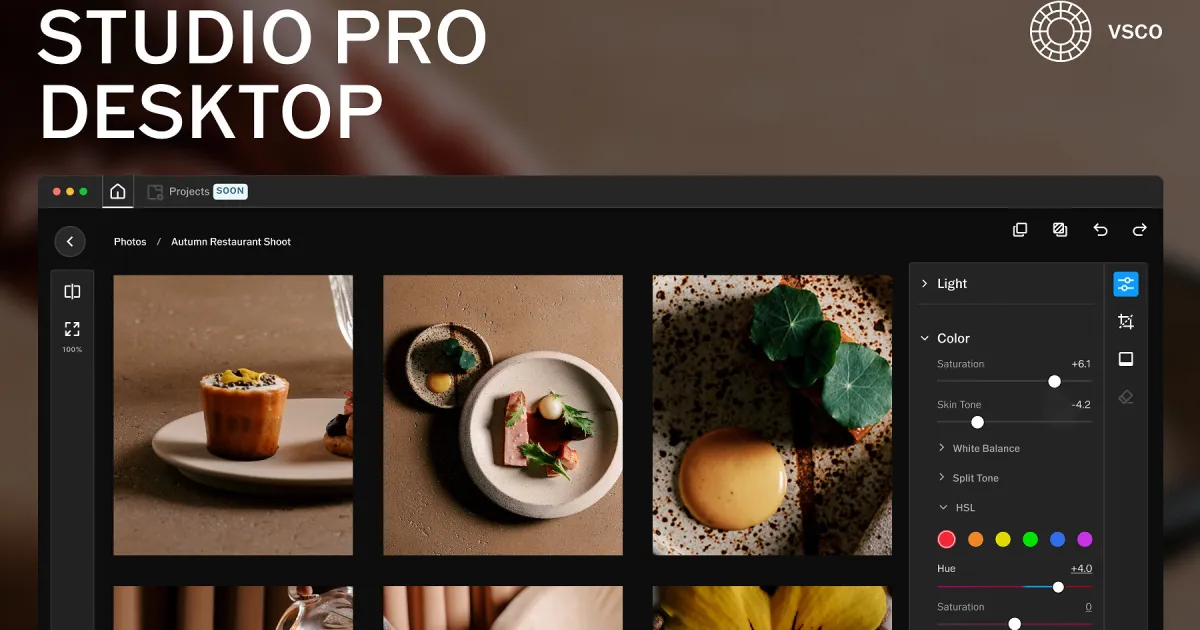
VSCO is stepping beyond its mobile-first editing roots with the launch of Studio Pro Desktop, its first standalone photo editor for macOS. The new app brings the company’s signature presets and RAW editing tools to desktop, with batch processing for up to 500 images and direct integration with VSCO Galleries for client delivery. The idea is to give photographers a connected workflow, from importing images to handing over finished shots, without constantly jumping between apps.
VSCO brings its signature editing tools to Mac
Studio Pro Desktop packs more than 200 presets, including film-inspired looks based on Kodak Portra, Kodachrome, Fujifilm Velvia and Kodak Tri-X. Photographers can also fine-tune exposure, contrast, highlights, shadows, temperature, saturation, sharpening, grain, and several other editing parameters. The app supports RAW files from more than 800 cameras across 20 brands, with VSCO’s new Reflex image engine handling editing and processing.

Batch editing is another major highlight. Photographers can apply presets and adjustments to as many as 500 images simultaneously, with changes appearing in real time. The editing process is non-destructive, meaning the original photographs remain untouched. There’s also an exclusive IOE1 Pro preset developed with photographer Joe Greer, offering a film-inspired look with warm tones, crisp details, and subtle saturation.
VSCO CEO Eric Wittman says the company wants to build around photographers’ existing workflows. “Photographers deserve tools built around how they actually work,” he said, adding that 75% of VSCO Pro members had used its presets in the previous six months.
From editing to client delivery without switching apps
Studio Pro goes beyond editing by connecting directly with VSCO Galleries, letting photographers publish full-resolution images for clients without exporting and uploading them separately. It also supports importing photos from Apple Photos, local folders, cameras, SD cards, and external drives. However, the app currently requires an Apple Silicon Mac running macOS 14 Sonoma or later, with no Windows version available. It’s free to download, but the full suite of editing tools, presets, batch processing, and unlimited galleries requires a VSCO Pro membership, starting at $4.99 per month or $59.99 annually. VSCO One subscribers also get access.

The launch follows Studio Pro’s arrival on iPhone earlier this year and reflects VSCO’s broader push to bring editing, portfolio creation, client management, and image delivery under one roof. Whether it can take on established desktop editors like Lightroom remains to be seen, but VSCO is clearly aiming for more than another photo-editing app. For photographers already using its ecosystem, the real appeal could be having the entire workflow, from the first edit to the final client delivery, in one place.


