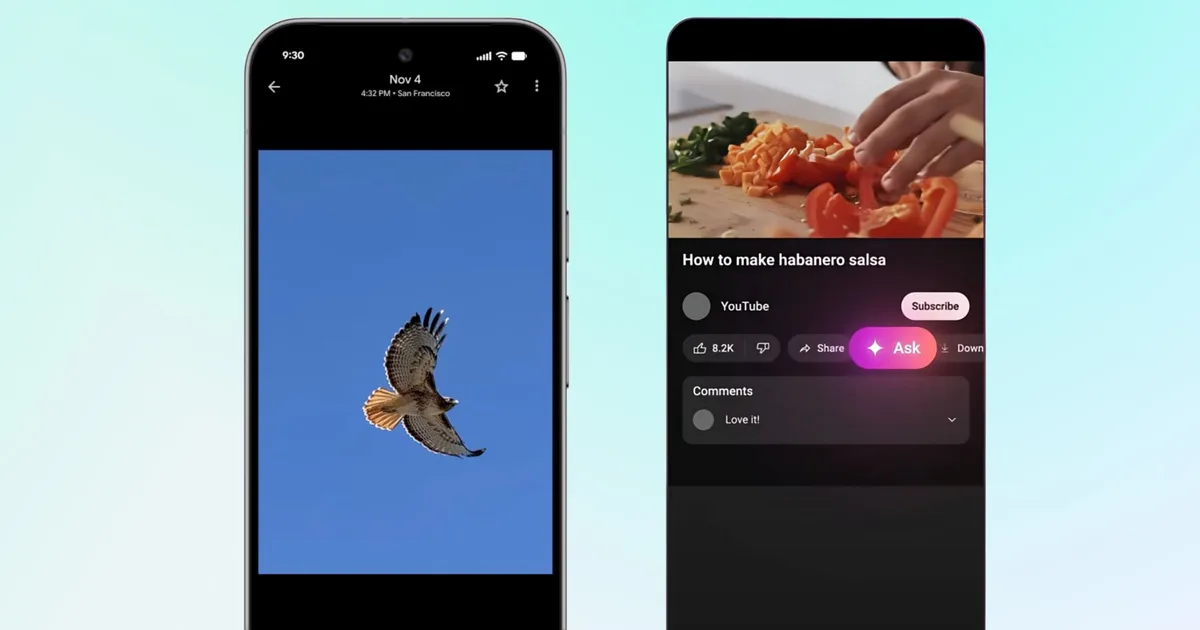
What’s happened? Google is making search personal and conversational. Its new “Ask” feature now works inside both Google Photos and YouTube, powered by Gemini AI. Think of Ask button as a conversational layer that lets you talk to your content directly, through Gemini’s contextual understanding.
- In Google Photos, the “Ask” tool lets you find pictures or information in plain language, such as “Show me photos from my Paris trip” through text or voice input.
- You can also use Ask feature to describe edits like “Make the sky brighter” and watch them happen instantly.
- On YouTube, a similar “Ask” button is showing up for select users on desktop and mobile.
- It can summarize videos, answer context-based questions, and explain topics without interrupting playback. You can ask “What’s this video about?” or “List all the ingredients in this recipe,” and get AI-generated answers on the spot.

This is important because: Google’s “Ask” feature moves both Photos and YouTube closer to true AI-native interfaces. Instead of searching through thumbnails or scrubbing through timelines, you can interact directly with your content.
- Both rely on Gemini’s multimodal AI, meaning it can interpret visuals, text, and context together.
- For Google, it’s a way to make Gemini feel invisible but indispensable by baking it directly into apps that billions already use.
- The company says these conversations are not used for ads, and responses are generated in real time, addressing early privacy concerns.
Why should I care? Google is quietly transforming what “search” means, from typing keywords to having a conversation with your own data.
- You can find people, places, or objects across your library without scrolling or tagging.
- Videos can now respond to your questions, making long or complex content easier to digest.
OK, what’s next?
- Ask Photos is currently live for 18+ users in the U.S. Google plans to expand it to over 100 countries and 17 new languages in the coming week.
- YouTube Ask is currently available on select English-language videos on Android, iOS, and desktop. You can find the Ask button below the video player, between the Share and Download buttons.


