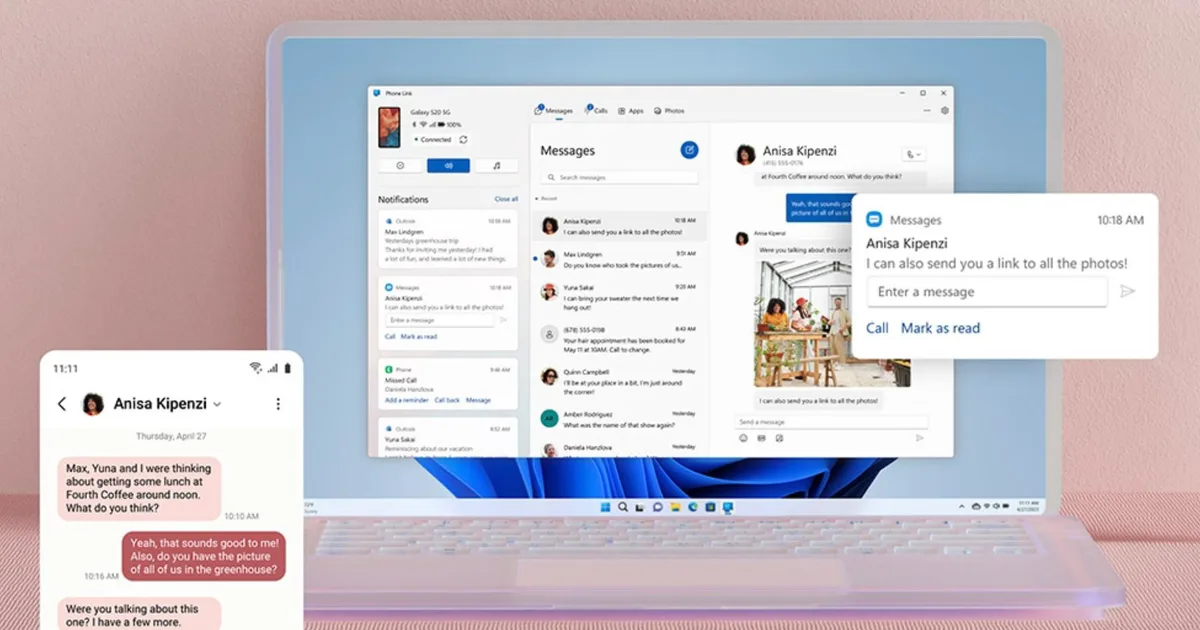
Microsoft has rolled out a significant upgrade to its Phone Link system and the “Link To Windows” app for Android, improving cross-platform connectivity with Windows 11. First and foremost, there’s a new “Lock PC” toggle that lets you lock your Windows device remotely from your smartphone (provided the devices are connected).
According to a new report by Windows Latest, locking a Windows 11 PC from an Android phone takes a couple of seconds. Once unlocked, the PC reconnects to your phone. Besides that, the app also gets a “Recent Activity” feed that shows file transfers and clipboard history shared between the devices. There’s a dashboard of the recent cross-device transactions.

From convenience to core Windows feature
The company has also introduced a new feature that lets users wirelessly share files from their Android phones to their Windows 11 PC or laptop, making it as convenient as AirDrop or QuickShare (native solutions developed by Apple and Android, respectively). The file shares appeared on the Windows device’s home screen in the app.
With clipboard synchronization, users can easily copy and paste information between devices. Last but not least, there’s a “Mirror to PC” switch that lets you cast your phone’s screen directly to the Windows PC (another feature that exists in the Apple and Android ecosystems). Moreover, the Link to Windows app will soon offer a deeper Android-to-Windows integration.
For quite some time, Microsoft’s Phone Link system has let users access their smartphone notifications, send messages, or share photos between their Windows and Android devices. However, the new update goes beyond these data types, making Android integration a significant part of the Windows experience.
For everyday users, the changes affect how you’ll work with your Windows and Android devices. Practically speaking, whether you use a laptop-smartphone or a PC-smartphone setup, you’ll be able to monitor cross-platform interactions (especially for professional users) and lock the devices in case you’ve forgotten to do so in a public setting, all from your Android handset.

Sharing photos, videos, PDFs, or other important documents should become more seamless, eliminating the need to mail them to yourself or establish a peer-to-peer connection via a third-party solution. All things considered, the update will help professionals, students, and general users alike by reducing friction in everyday device-to-device transactions.
Given that the new Link to Windows updates are currently rolling out to everyone, more and more users should have access to them in the coming days. Most recently, Windows 11 users got a new Themes Section in the Microsoft Store, offering a curated set of over 400 themes.


