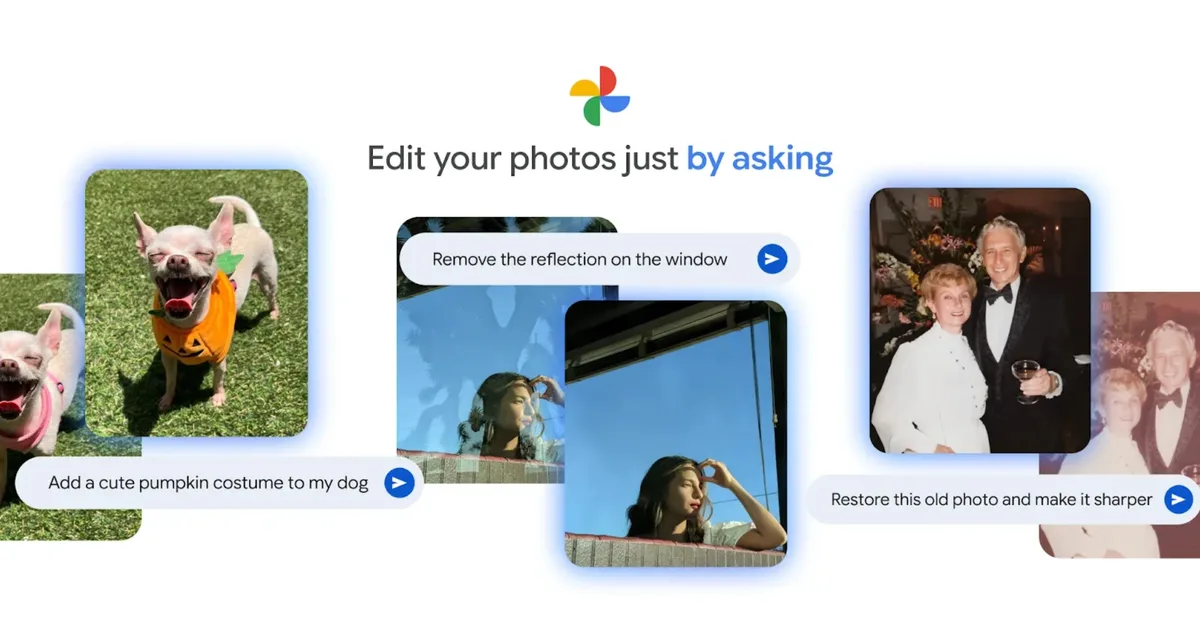
What’s happened? Tired of dragging sliders and trying different settings in the Google Photos app to make your picture look better? A new feature can help you achieve the desired look by just describing the changes you want to make.
- According to Google’s latest blog post, Android users in the United States can now edit images by describing the required changes in words. This feature was previously available only for Pixel 10 users.
- To use the feature, open an image in the Google Photos app, select “Help me edit,” and give instructions to the editor.
- You can either type the changes or say them out loud and let the AI take care of the rest.

Why is this important? While most users are aware of the changes they’d like to make, they might not know how to implement them. For new Google Photos users or those unfamiliar with concepts like exposure or contrast, the “Help me edit” feature allows you to make even the most complex edits in seconds.
- Using this feature, you can remove reflections and unwanted objects, adjust the lighting, modify the composition, add fun elements, or restore pictures to make them look sharper.
- If you need help with multiple edits, you can add all of them in your command, and the Gemini-powered Photos app will make them right away.

Why should I care? Suppose you’re about to post on Instagram and realize the picture could use some improvement in composition and lighting. In that case, you can simply type “straighten the picture and improve the lighting,” and wait a couple of seconds for the magic to unfold.
- You can even ask the editor to add elements like flowers, trees, change the color of the sky, or generate fun versions using generative AI.
- Since this feature isn’t available on Apple Photos, it gives Google’s app a significant edge in user-friendly, AI-driven capabilities. Unfortunately, it isn’t available on Google Photos for iOS yet.

OK, what’s next? The “Help me edit” feature in Google Photos makes editing a picture as simple as having a conversation with an AI assistant, saving time on manual edits and unlocking more creative possibilities. While AI integration across its Photos app remains the company’s priority, it has also updated the collage creation interface with more intuitive and useful controls.


